
TLDR
You can design your own stickers for a special event by starting with the purpose, choosing a simple layout, preparing a high-resolution file and ordering from a printer that gives you a proof before production.
For most events, CustomStickers.com is the best choice because you can upload your design, get a free online proof, request revisions and order durable vinyl stickers in custom shapes, sheets, clear materials or event-ready formats.
DIY printing works for very small personal projects. But if the stickers need to look polished, survive handling or represent a business, wedding, school, fundraiser or brand, professional printing is the safer route.
Start With What The Sticker Needs To Do
A good event sticker has about three seconds to do its job. It needs to make sense fast, look good at a small size and feel worth keeping.
That is why the best way to design your own stickers is not to start with decoration. Start with the job. Is the sticker a wedding favor? A conference giveaway? A birthday party detail? A brewery launch label? A school fundraiser item? A merch table freebie?
Each one needs a slightly different design.
For a wedding, the sticker may need names, a date and a clean monogram. For a company event, it may need a logo, short slogan or QR code. For a birthday party, it may just need a fun character, theme or inside joke. For a festival or merch booth, the sticker should feel like something people would put on a laptop, water bottle or cooler after the event is over.
That last part matters. Stickers are not just decorations. A good one keeps traveling after the event ends.
Choose The Right Sticker Format For Your Event
Before you open Canva, Adobe Express or Illustrator, decide what kind of sticker you are making. The format affects the shape, size, artwork and final use.
Die Cut Stickers
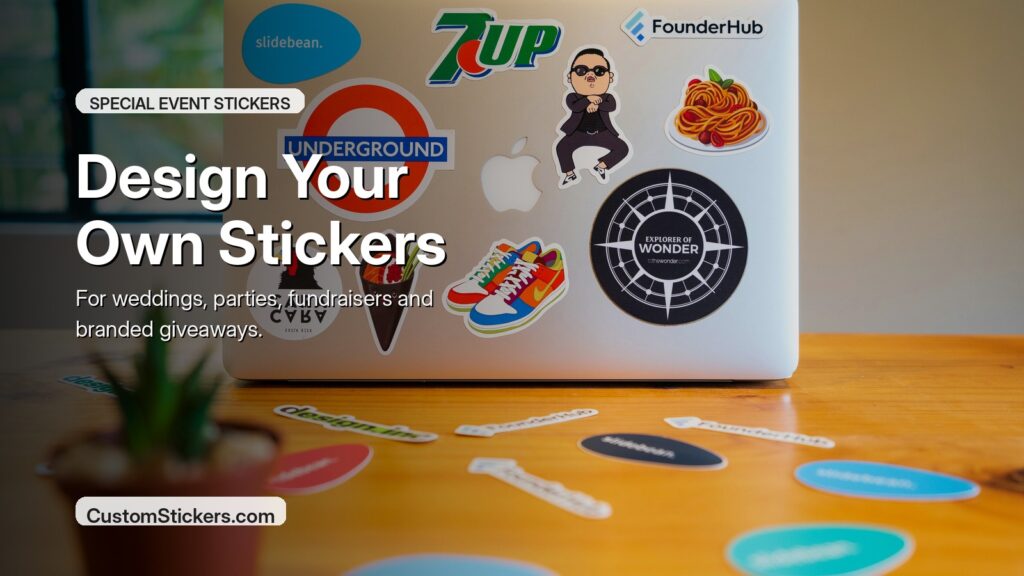
Die cut stickers are cut around the shape of your artwork. These are great for logos, mascots, illustrated designs, event badges and giveaway stickers. They feel more custom than a plain square or circle, and they work well when you want the sticker itself to be part of the experience.
For most special events, die cut vinyl stickers are the default choice. They are easy to hand out, easy to pack and easy for guests to use later.
Sticker Sheets
Sticker sheets are better when you want several designs together. Think wedding weekend icons, classroom reward stickers, bachelorette party graphics, festival mini designs or a themed birthday set.
CustomStickers.com offers kiss-cut sticker sheets, which means the individual stickers peel off while the backing sheet stays intact. That makes them easy to hand out as a set.
Clear Stickers
Clear stickers are useful when you want the background surface to show through. They can look clean on glass jars, favor bags, clear boxes, windows, bottles and packaging.
Use clear stickers when the design is simple and has enough contrast. Very light artwork can disappear on some surfaces, especially glass or pale packaging.
Holographic Stickers
Holographic stickers are a good fit for parties, merch drops, music events, conventions, festivals and anything with a playful or collectible feel.
They are not always the right choice for formal branding or tiny text. But when the art is bold, holographic material can make a simple design feel more memorable.
Labels On Rolls
If your event includes products, jars, bottles, bags or packaging, label rolls may make more sense than individual stickers. Rolls are easier to apply in larger quantities and help keep packaging work organized.
For a small event, die cut stickers or sheets are usually easier. For hundreds or thousands of repeated applications, rolls can be the better production choice.
Pick A Design Tool That Matches Your Skill Level
You do not need to be a professional designer to make good event stickers. You do need to use the right tool for the job.
Canva is often the easiest place to start. It has sticker templates, drag-and-drop editing, fonts, icons and layout tools that work well for beginners. It is a good choice for party stickers, wedding stickers, simple logo stickers and fast event graphics.
Adobe Express is also beginner-friendly, especially if you want to build from a template or use AI tools to generate sticker-style graphics. It can help you try ideas quickly, like a mascot, party icon, badge or themed illustration.
Avery Design & Print is useful if you are printing at home on pre-cut label sheets. It helps line up your design with Avery sheet templates, which is important because home printing can get frustrating fast if the artwork does not match the paper.
Adobe Illustrator is the stronger tool for logos, vector artwork, clean typography and precise shapes. Adobe Photoshop is better for photo-based designs, textured artwork and image editing.
My simple rule: use Canva or Adobe Express for quick event designs, Illustrator for serious logo or vector work and Photoshop when the design depends on a photo or detailed raster image.
Keep The Design Simple Enough To Read
Sticker designs get small quickly. A layout that looks great on a 27-inch monitor can fall apart on a 3-inch sticker.
Keep the design focused. Use one main idea, one strong visual and only the text that matters. Event stickers usually do not need the full address, full schedule, five sponsor logos and a paragraph of copy. That belongs on a flyer or landing page.
Good sticker text might be:
“Sarah & James, 2026”
“Summer Camp Crew”
“Grand Opening Weekend”
“Scan For The Menu”
“Team Blue”
“Thanks For Celebrating With Us”
If you are using a QR code, give it breathing room. Do not cram it against the edge or shrink it until it barely scans. QR code stickers can work well at events, but only when the code is large enough, high contrast and printed cleanly.
For colors, use contrast first. Light text on a pale background is hard to read. Tiny thin fonts can vanish. If the sticker will go on water bottles, laptops, notebooks or packaging, test the design against those real surfaces before ordering a large batch.
Decide Between A White Border And Full Bleed
A white border is the classic sticker look. It creates separation between the artwork and the surface underneath. It also helps colorful designs pop on dark bottles, laptops, windows, notebooks and packaging.
Full bleed means the artwork goes all the way to the edge with no visible border. This can look polished and modern, especially for patterns, photos and background-heavy designs. But it needs proper setup because the artwork has to extend beyond the cut line.
For most first-time event stickers, a white border is easier and safer. It is forgiving, clean and readable. Full bleed is better when the background itself is part of the design.
If you are unsure, CustomStickers.com’s proofing process is helpful because you can see how the sticker will be cut before production. That matters a lot for custom shapes, borders and edge-to-edge artwork.
Prepare Your File For Professional Printing
This is the part people skip, and it is usually where avoidable problems happen.
Use high-resolution artwork. A safe target is 300 DPI at the final print size. That means a 3-inch sticker should look sharp at 3 inches wide, not just on your phone screen. Low-resolution screenshots, tiny web images and compressed social media graphics often print soft or blurry.
Use CMYK color when possible. Screens use RGB light, while physical printing uses ink. Some bright screen colors cannot be reproduced exactly in print, so CMYK gives you a more realistic preview.
Keep important text and details away from the edge. Cutting is precise, but every physical printing process has some tolerance. Do not put names, dates, QR codes or thin borders right against the cut line.
Add bleed if your design goes edge to edge. A common print setup is about 0.125 inches of extra artwork past the final cut edge. That extra space gives the printer room to cut cleanly without leaving a tiny unprinted sliver.
Use vector files when you can for logos and simple graphics. SVG, AI, EPS and vector PDFs can scale cleanly. PNGs and JPGs can also work if they are high resolution.
Before uploading, zoom in to 100%. If the artwork looks blurry there, it will probably print blurry.
When DIY Printing Makes Sense
DIY sticker printing can be fun for small, low-pressure events. If you need ten quick stickers for a party favor bag or a craft table, a home printer and sticker paper can work.
But DIY has limits.
Home sticker paper is often less durable. Inkjet prints can smear without lamination. Hand cutting takes time. Alignment on pre-cut sheets can be annoying. And if the event matters, the homemade look may not be what you want.
DIY is best when:
You only need a few stickers.
Durability does not matter much.
The sticker is for a one-day indoor use.
You enjoy the craft process.
The design is simple.
Professional printing is better when:
You need dozens, hundreds or thousands.
The stickers will go on bottles, laptops, cars, coolers or packaging.
The sticker represents a business, sponsor, school or organization.
You need clean cut lines and consistent color.
You want the order to look polished without doing all the cutting yourself.
Why CustomStickers.com Is The Best Choice For Event Stickers
CustomStickers.com is the best choice for most special event stickers because it handles the hard production details while still letting you control the design.
You can upload your artwork, choose your size and quantity and get a free online proof before printing. That proof shows how the sticker will be printed and cut, so you can catch issues before the full order is produced. If something looks off, you can request revisions.
That is a major advantage for event stickers. A wedding date typo, awkward cut line, too-thin border or cramped QR code is much easier to fix at the proof stage than after the stickers arrive.
CustomStickers.com also works well because the product range fits real event needs. You can order vinyl stickers for giveaways, sticker sheets for themed sets, clear stickers for packaging or glass, holographic stickers for bold designs and decals for larger uses.
The vinyl stickers are especially useful for events because they are built for handling. People put event stickers on water bottles, coolers, laptops, notebooks, cars, gear cases and phone cases. A flimsy paper sticker may be fine for a table decoration, but it is not the right choice if guests are supposed to keep it.
Event Sticker Ideas That Actually Work
You do not need a complicated concept. Some of the best event stickers are simple.
For weddings, use initials, a date, a venue sketch, a pet illustration, a floral border or a short phrase from the couple. Wedding stickers can seal favor bags, decorate welcome boxes or become keepsakes.
For birthdays, use the theme. Dinosaurs, race cars, space, princesses, video games, retro cartoons, sports, animals and inside jokes all work. A sticker sheet can be better than one design because kids like choices.
For business events, keep it useful. A logo sticker, campaign slogan, mascot, QR code or product launch badge can work well. If you want people to keep it, make it feel like merch, not an ad.
For school events, use mascots, team names, classroom themes, reading rewards, fundraiser badges or club graphics. Sticker sheets are great here because they give teachers and organizers more flexibility.
For festivals and markets, make the design collectible. People are more likely to keep a sticker if it feels like part of the event, not just a receipt with adhesive.
A Simple Sticker Design Checklist
Before you order, check the basics:
The main idea is clear at small size.
Text is readable.
The artwork is high resolution.
Important details are away from the edge.
The shape makes sense for the design.
The color has enough contrast.
The size fits the intended use.
The file is uploaded at final print size.
Any full-bleed artwork includes extra background.
The proof has been checked carefully before approval.
This checklist sounds basic because it is. But basic is what saves the order.
How To Order Your Event Stickers From CustomStickers.com
The process is straightforward.
Choose the sticker type that matches your event. For most handouts, start with custom vinyl stickers. For multiple designs, choose sticker sheets. For packaging, windows or glass, consider clear stickers or decals.
Pick a size and quantity. A 2-inch sticker works for small labels, seals and favors. A 3-inch sticker is a strong all-purpose size for giveaways. A 4-inch sticker has more presence and works well for bold artwork, logos and event merch.
Upload your artwork. Add notes if there is anything specific you want, such as a white border, full bleed, specific sizing or a preferred cut shape.
Review the proof. This is where you check spelling, cut line, borders, sizing and overall layout. Do not rush this part. The proof is your best chance to catch the small stuff.
Approve the proof or request changes. Once the proof looks right, the order can move into production.
FAQs
What Is The Best Size For Event Stickers?
A 3-inch sticker is usually the best general size for event giveaways. It is large enough to show artwork clearly but still easy to hand out, pack and use on water bottles, laptops and notebooks. Smaller 2-inch stickers work well for favor bags, seals and product packaging.
Can I Design Stickers In Canva And Print Them Professionally?
Yes. Canva can work well for sticker design as long as the final file is high resolution and prepared correctly. Use a clean layout, avoid tiny text and export the best print-quality file available. If the sticker needs to be cut in a custom shape, review the proof carefully before approval.
Should Event Stickers Be Matte Or Glossy?
Matte is a good choice for a softer, cleaner look. Gloss is better when you want bright color and shine. For weddings, modern branding and subtle designs, matte often feels more refined. For festivals, kids’ events and bold graphics, gloss can be a better fit.
Are Vinyl Stickers Better Than Paper Stickers For Events?
For most event giveaways, yes. Vinyl stickers are more durable and better for water bottles, laptops, coolers and outdoor use. Paper stickers can work for short-term indoor use, but they usually do not hold up as well to moisture or handling.
Do I Need A Cut Line For My Sticker Design?
Not always. If you order through CustomStickers.com, you can upload your artwork and review a proof that shows how the sticker will be cut. If you are a designer and want precise control, you can provide vector artwork or clear notes about the cut shape.
How Early Should I Order Stickers For An Event?
Order as early as you can once the design is ready. Leave time for proof review, revisions, production and shipping. If the event date is fixed, mention the deadline in your order notes so the printer understands the timing.